Invoice Generator for Designers
Present your creative fees as professionally as you present your work. Create clear invoices for design projects, revisions, licensing, retainers and production expenses.
Useful for graphic designers, web designers, brand designers, illustrators and independent creative professionals.
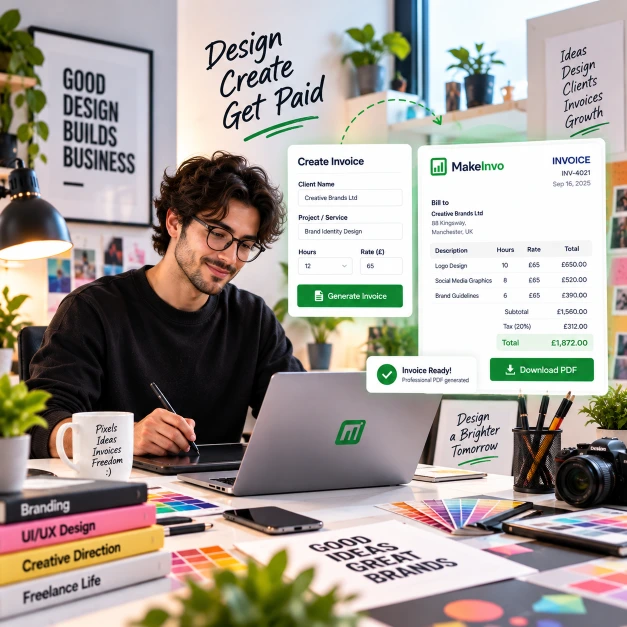
Creative projects include more than one final design
Most billing mistakes happen when rigid word processors and generic spreadsheets get bent into fiscal ledgers. Every extra click is billable time lost.
Discovery and research stages that happen before any visuals
Multiple design concepts and revision rounds
Licensing or usage fees separate from the design fee itself
Production expenses like stock imagery or fonts
Deposits taken up front, with a balance due later
Scope changes that add work beyond the original brief
Show every creative service clearly
List discovery, concepts, revisions and guidelines as separate line items.
Add extra revision rounds as their own charge, once included rounds are used up.
Show licensing or usage fees separately from your design fee.
Add production expenses such as stock imagery or fonts as their own line items.
Apply a discount where a deposit has already been paid.
Set a due date so the final balance has a clear deadline.
What to include on a design invoice
Your name or studio name
The client's details
The project name
The design services provided
Included and additional revisions
Licensing or usage fees
Any production expenses
A deposit or discount, if one applies
Tax, where applicable
The final total
The payment due date and details
MakeInvo automatically standardizes these structural blocks on export.
Turn approved design work into a finished invoice
Add the project
Add your studio details, the client, and the project name.
List the work
Add each design stage, revision or licence fee as its own line.
Apply deposits
Apply any deposit already paid as a discount on the total.
Download the PDF
Generate and download the finished invoice as a PDF.
Built for creative billing
Project-based billing
Break a design project into discovery, concepts and delivery stages on one invoice.
Revision charges
Add extra revision rounds as their own line item once included rounds are used.
Licensing line items
Show licensing or usage fees separately from your core design fee.
Brand logo on invoices
Add your studio logo to your invoice template so it matches your own branding.
Saved clients
Registered users can save repeat clients instead of re-entering their details.
PDF downloads
Every invoice can be downloaded instantly as a clean, print-ready PDF.
What your invoice can look like
An illustrative example — your invoice will reflect your own business, client, work, and chosen currency.
Willow & Co Studio
Ember Coffee Roasters
Project: Rebrand
| Description | Amount |
|---|---|
Brand discovery | £450.00 |
Logo design 3 concepts | £900.00 |
Brand guidelines document | £380.00 |
Additional revision round | £150.00 |
Font licensing | £90.00 |
Invoicing tips for designers
Define revision limits in the contract before work begins.
Keep licensing fees separate from your core design fee.
Reference the project name on every invoice.
Show deposits clearly so the remaining balance is obvious.
Avoid unclear line items such as "design work" - name the actual deliverable.
State when final files or licences will be delivered once paid.
Keep the invoice itself clean and easy to read, just like your design work.